Reset conditions
Reset conditions tells Homerun when a server will reset. A reset condition can have its own parameters, which specify the details of when resets happen.
Currently, one condition is available.
cron
cron is a time-based reset condition. The name comes from the "cron" program
installed on many servers around the world. You would use a cron reset condition when you want resets to happen
periodically at a specific time of day.
cron reset conditions are always based on the server's local time. If the server uses UTC, the interval will be
interpreted as UTC. If the server uses Central European Standard Time, the interval will be interpreted in CEST.
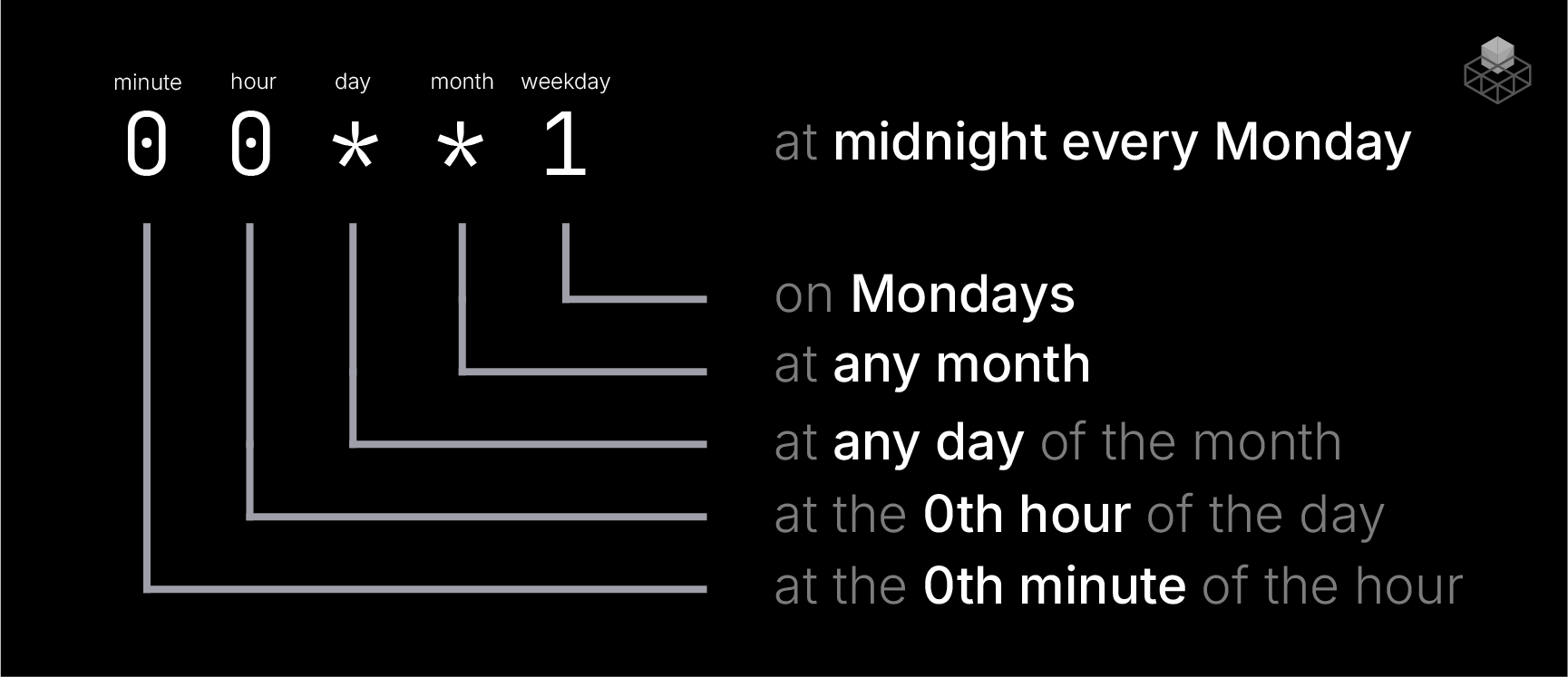
A cron condition takes a single string, following the format <minute> <hour> <day> <month> <weekday>. Asterisks are
interpreted as "any value", meaning a reset is triggered regardless of whatever value is set as * (e.g., if the
<day> is 0, a reset will happen on any given day, as long as every other interval matches). You can also use a
website like crontab guru to speak this arcane langauge.
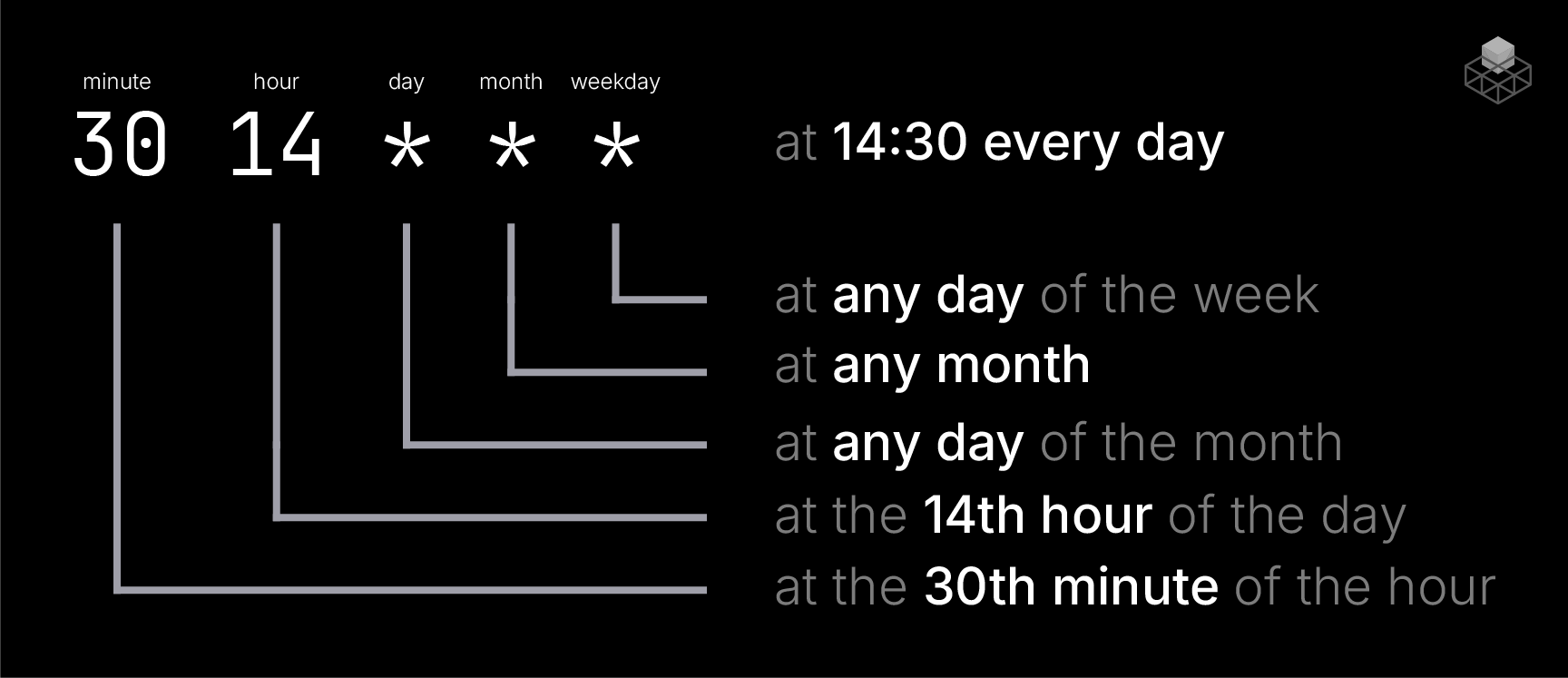
reset_rules:
    -   enabled: true
        conditions:
            - cron: 30 14 * * *
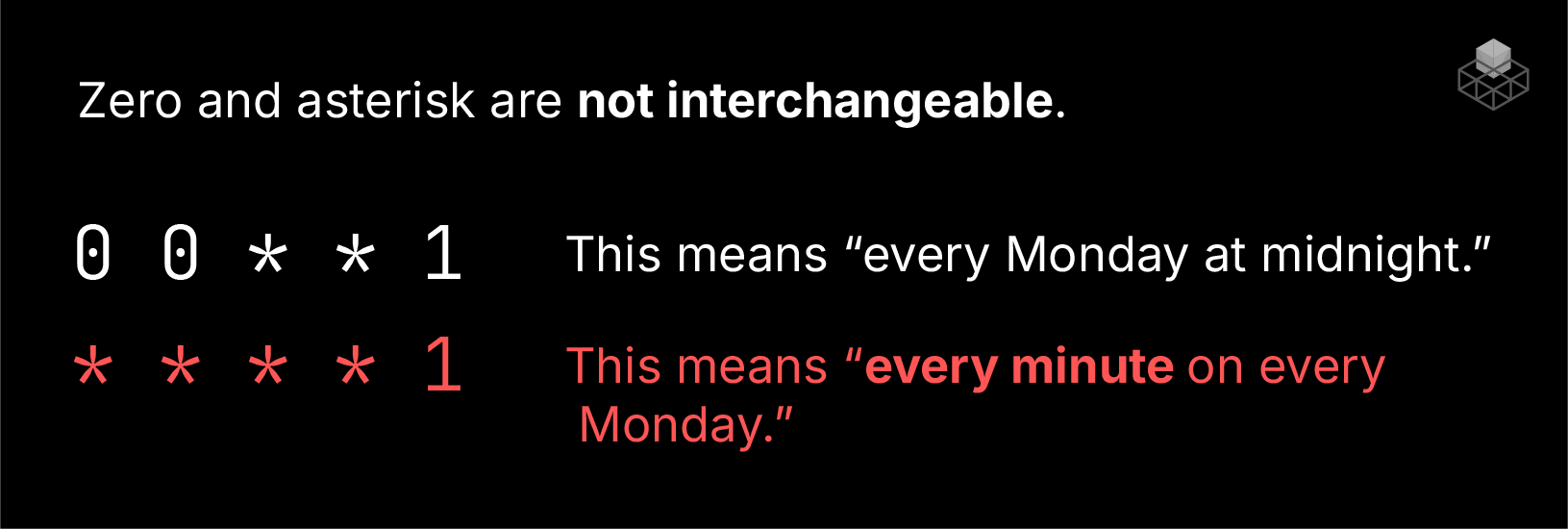
When doing daily, monthly, or weekly intervals, make sure to set an hour and minute of the day! You could easily shoot yourself in the foot and end up resetting your server every single minute.
Debug conditions
If you're testing your reset rules and need a quick way to reset the server as soon as the server starts, you can use
the always condition to immediately restart the server when it starts up. Note that this will kick your server
into a reset loop if you're not careful.
reset_rules:
    -   enabled: true
        conditions:
            - always: true