Reset parameters
Reset parameters tell Homerun how a server resets. Most importantly, it tells Homerun which chunks to keep during a reset, if any. Parameters dictate the specifics of how a server resets, so that your server will reset in a way that you want it to.
Multiple reset parameters can be specified for a single reset rule, and they will all be applied in the order they are specified. This gives you a lot of flexibility in how you want your server to reset. For example, you can give players a graceful teleport back home if they're in a kept chunk in the overworld, and kill them if they're in the Nether.
Retained chunks
Retained chunks are chosen via chunk selectors, which determine which chunks to keep. Chunk selectors can run on all worlds or on a per-world basis, and are calculated at the time of reset.
From world spawn
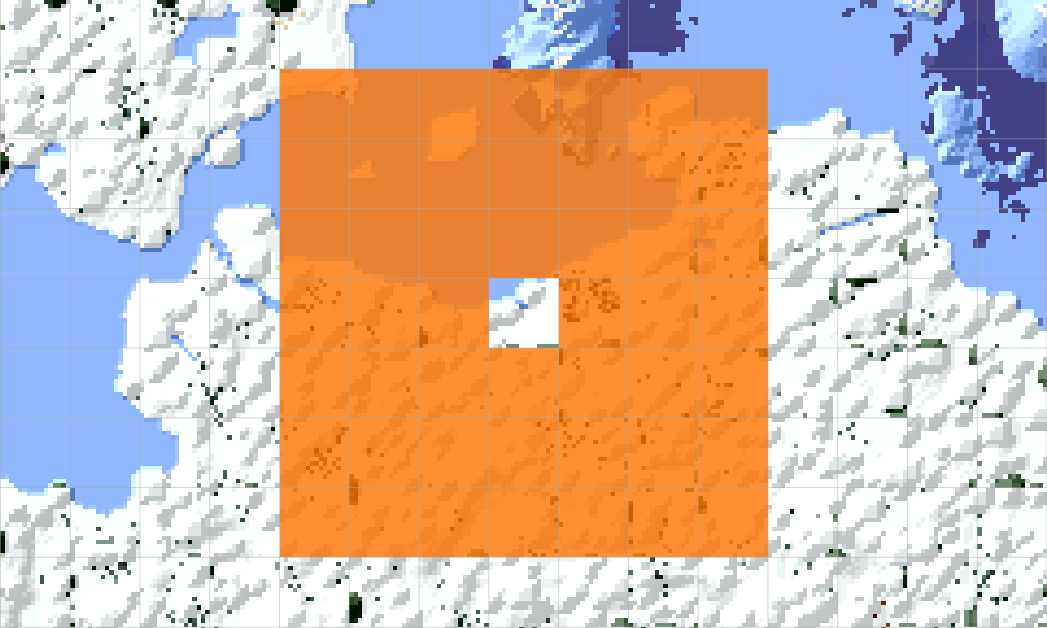
The from_world_spawn chunk selector keeps all chunks within a certain diameter around the world spawn. The diameter is
specified in chunks, and the center is the chunk in which the world spawn is located. The following example shows a
from_world_spawn of 7, which means a 7 by 7 square of chunks will be kept (shown in orange), centered on the world
spawn (shown without color). This totals to 49 chunks kept.
reset_rules:
    -   enabled: true
        parameters:
            -   retained_chunks:
                    -   from_world_spawn: 7
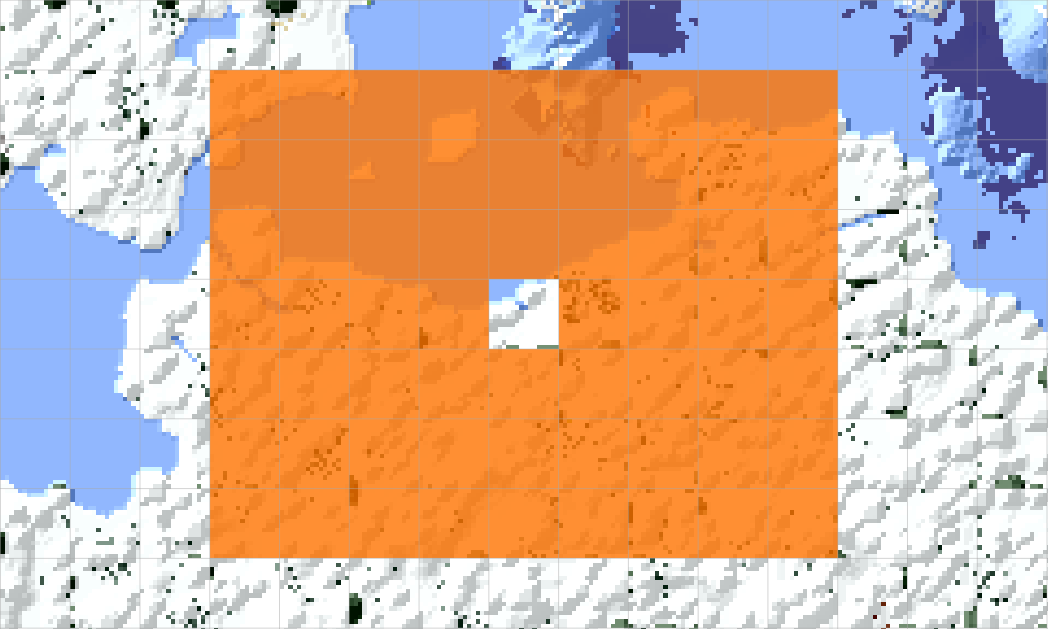
You can also specify a size in X and Z dimensions, which allows you to keep a rectangular area of chunks.
reset_rules:
    -   enabled: true
        parameters:
            -   retained_chunks:
                    -   from_world_spawn:
                            x: 9
                            z: 7
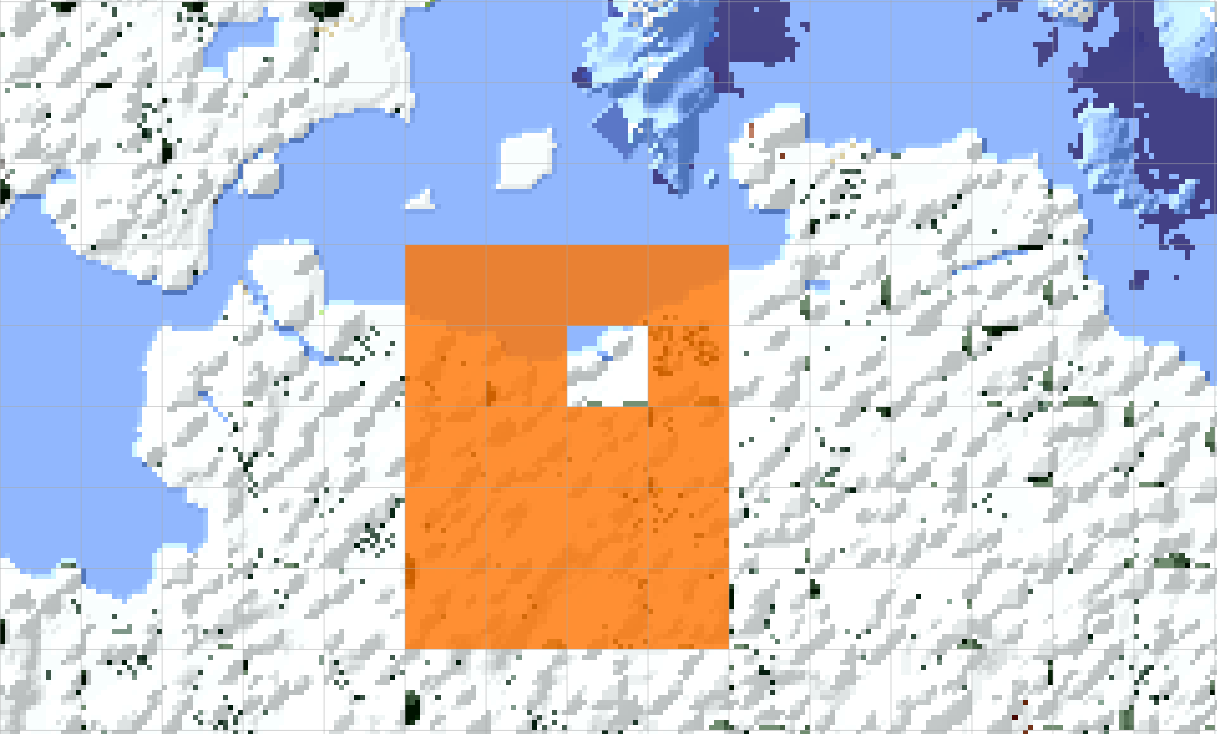
You can also specify a radius per direction instead of a diameter, which allows you to keep a rectangular area which may not necessarily be centered on the world spawn. The following example shows a selection 1 chunk to the north, 3 chunks to the south, 2 chunks to the west, and 1 chunk to the east of the world spawn. This totals to 20 chunks kept.
reset_rules:
    -   enabled: true
        parameters:
            -   retained_chunks:
                    -   from_world_spawn:
                            north: 1
                            south: 3
                            west: 2
                            east: 1
Dimension filter
If you want to keep only chunks on a specific dimension, you can specify the dimension parameter. This will only
keep chunks in the specified dimension, and ignore chunks in other dimensions.
reset_rules:
    -   enabled: true
        parameters:
            -   retained_chunks:
                    -   from_world_spawn: 4
                        dimension: overworld
The Nether does not normally have a world spawn. This is especially the case for older versions, which did not allow setting the spawn in any dimension other than the overworld. For this selector, the Nether spawn is automatically detected as the chunk in which a player first enters the Nether via a Nether portal. If multiple Nether portals are created on the overworld, only the first one counts. Subsequent portals will not change the Nether world spawn.
The "spawn chunk" for The End is always chunk (0, 0), where the exit portal is located. The obsidian platform on
which the player first spawns in when teleporting to The End is not considered the world spawn. This effectively
makes this selector the same as from_world_origin for the End dimension.
From world origin
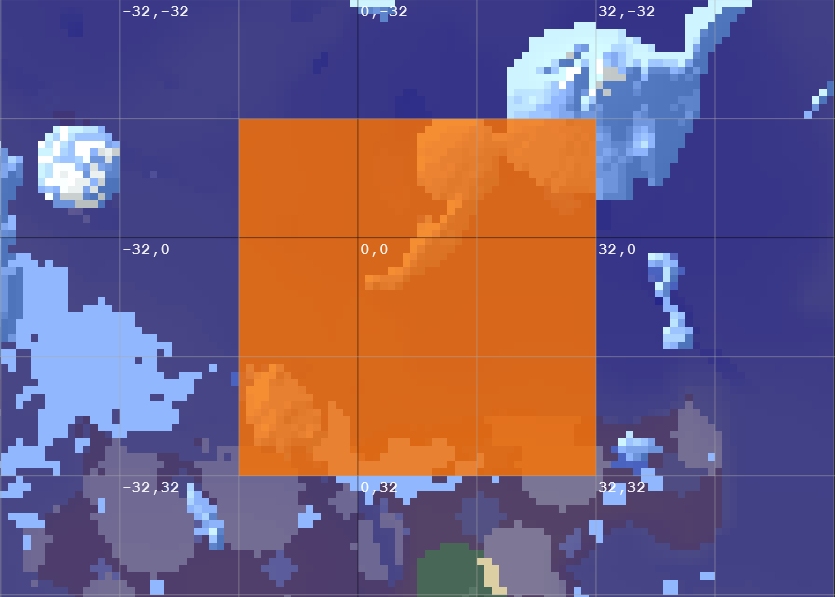
The from_world_origin chunk selector keeps all chunks within a certain diameter around the world origin. It works the
same way as from_world_spawn, except the center is always chunk (0, 0). The following example shows a
from_world_origin of 3, which means a 3 by 3 square of chunks will be kept (shown in orange), centered on the world
origin (marked with 0, 0). Coordinates here are in block coordinates (not chunk coordinates).
reset_rules:
    -   enabled: true
        parameters:
            -   retained_chunks:
                    -   from_world_origin: 3
Specific chunks
If you have a very specific chunk that you want to keep, you can just add its chunk coordinates as a selector. This allows you to specify one or more chunks by its X and Z (chunk) coordinates.
reset_rules:
    -   enabled: true
        parameters:
            -   retained_chunks:
                    # Select the upper-left chunk.
                    -   x: 40
                        z: -16
                    # Select the middle-right chunk.
                    -   43, -15
                    # Select the lower-middle chunk.
                    -   42, -14
Dimension filter
If you want to keep only chunks on a specific dimension, you can specify the dimension parameter. This will only
keep chunks in the specified dimension, and ignore chunks in other dimensions.
reset_rules:
    -   enabled: true
        parameters:
            -   retained_chunks:
                    -   from_world_spawn: 4
                        dimension: overworld
End main island
The End main island tends to bug out when resetting, because it is generated based on the world seed. To avoid this, you can use a special selector that will keep the main island of the End dimension (specifically an 18 by 18 square around the exit portal). This selector specifically only targets The End.
If you do not plan on keeping any chunks in The End, you can ignore this entirely.
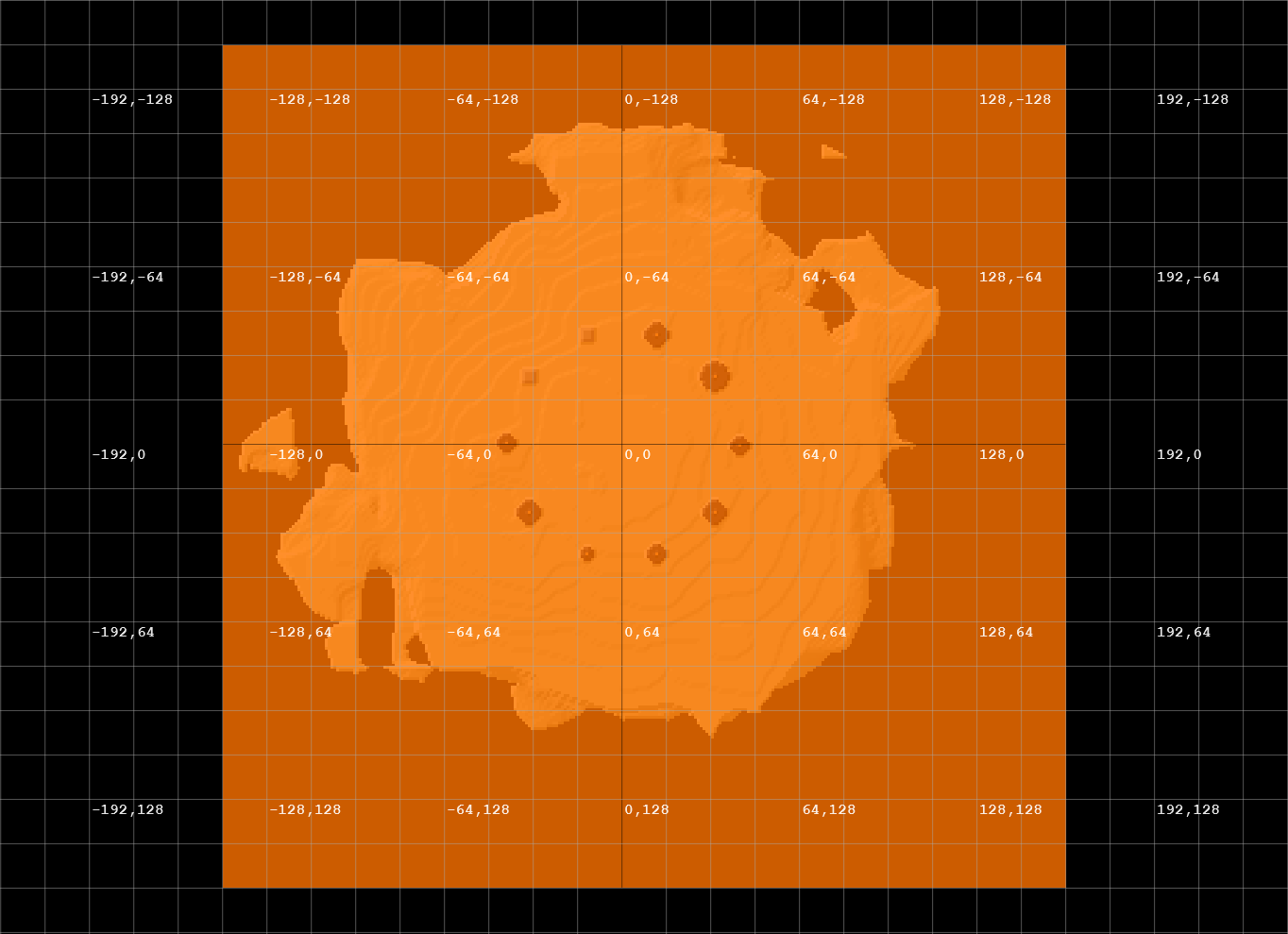
reset_rules:
    -   enabled: true
        parameters:
            -   retained_chunks:
                    -   end_main_island: true
World
The name of the world to target. You can use this if you want to reset only a specific world, not the main world.
If this is left blank, the reset will target the main world (whatever world is named in the server.properties file).
reset_rules:
    -   enabled: true
        parameters:
            -   retained_chunks:
                    -   world: my_secret_world
Target world pattern
The name of the new world to be created. This is the name of the folder that will be created in the server directory for the new world. You can use placeholders in the name, which is why it's called a "pattern":
%world%– The name of the world being reset.%timestamp%– The current Unix time in seconds (seconds that have passed since 00:00:00 UTC on 1 January 1970).%source_seed%– The seed of the world being reset.%reset_count%– The number of times the world has been reset. This is stored in the world metadata.
reset_rules:
    -   enabled: true
        parameters:
            -   target_world_pattern: "%world%_reset_%reset_count%"
Server properties and restarting
Homerun's primary purpose is to reset your main world. This means having to modify your server.properties file to
load the new world on next startup. Homerun can automatically modify your server.properties file to load the new
world, but you can also choose to keep this unchanged if you want to manually change the world to load on next startup
or if you're using Homerun as a world backup mechanism (which... you really shouldn't).
If you made any changes to server.properties while the server is running, Homerun will overwrite your changes
with whatever the server was loaded with. If you want your changes to be kept, restart the server before the next
Homerun reset.
If you have server.properties editing enabled, the properties will not be applied until the server is restarted.
Because of this, you're highly suggested to also enable the restart parameter, which will automatically restart
the server after the reset is complete. This will ensure that the new world is immediately loaded.
If you're self-hosting your server, you need to add a restart script
to your spigot.yml file. Otherwise, the server will just close entirely when Homerun tries to restart it. If you're
using a hosting provider, ensure that automatic restarts are enabled when the server stops.
settings:
  restart-script: "java -jar paper-1.21.11-132.jar"
reset_rules:
    -   enabled: true
        parameters:
            -   modify_server_properties: true
                restart: true
Out-of-bounds player handling
When the server restarts, Homerun will teleport all players to their beds, or the world spawn, for safety. This prevents
players from suffocating to death if they happened to join back in a chunk that was not retained. You can change this to
give players a stronger incentive to get back to the "safe zone" by killing them instead of teleporting them. This is
done with the outside_player_behavior parameter.
You can specify the following behaviors:
spawn– Teleport players outside of retained chunks to their bed or world spawnkill– Kill players outside of retained chunksworld_spawn– Teleport players outside of retained chunks to the world spawnignore– Leave players where they are, and let them suffocate if a block is now in the space they're standing inhighest– Teleport players to the highest block in the world at their last X and Z coordinatesclosest– Teleport players to the closest valid space in the world at their last X and Z coordinates.- A valid space is defined as a space where the block below the player's feet is solid, and the blocks at their head and feet are air.
reset_rules:
    -   enabled: true
        parameters:
            -   outside_player_behavior: kill
Dimension behaviors
Dimension reset behaviors allow you to specify how each dimension should be reset. This is useful if you want to keep certain dimensions intact while resetting others. This is only ever useful if you're resetting the main world, as the Nether and End wouldn't be automatically loaded otherwise. You can specify the following behaviors for each dimension:
normal– Reset the dimension based on the chunk selectors specified in the reset rule. This performs chunk blending.copy– Make a full copy of the dimension, including all chunks and entities. The old world's seed will be used for future generation.wipe– Create an entirely new dimension, with a new seed.
Set them with the nether_behavior and end_behavior parameters.
reset_rules:
    -   enabled: true
        parameters:
            -   nether_behavior: normal
                end_behavior: wipe
End pillar cleanup
Minecraft's End spikes are generated based on the world seed, and although their centers are the same on every world, their radii and height are not. This means that if you reset the End dimension, the spikes will be regenerated based on the new seed when the Ender Dragon is respawned. This leads to weird-looking spikes that have big bases and small tops, floating obsidian boxes, or even End crystals embedded in the spikes.
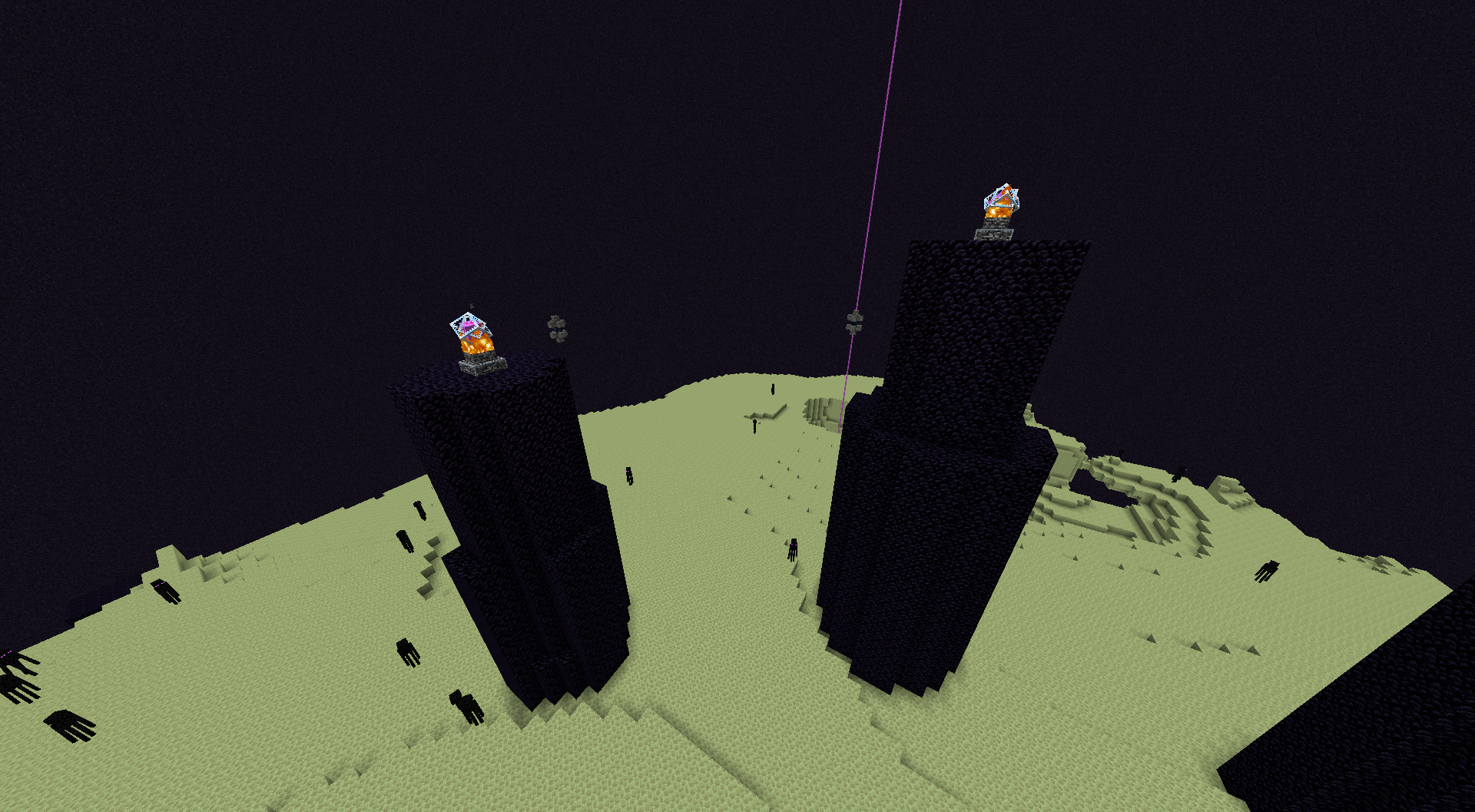
To avoid this, enable the end_pillar_cleanup parameter, which will automatically clean up stray End crystals and
reform End spikes during the dragon respawn process. This is only useful if you're resetting the End dimension, and will
not do anything if the End is being copied or wiped.
This feature normally avoids End crystals placed by players to avoid destroying player creations. If more End crystals were removed than you expected, you can disable this feature, though you'll get oddities when respawning the dragon.
reset_rules:
    -   enabled: true
        parameters:
            -   end_pillar_cleanup: true